Tips on Nissan Consult III plus ECU programming
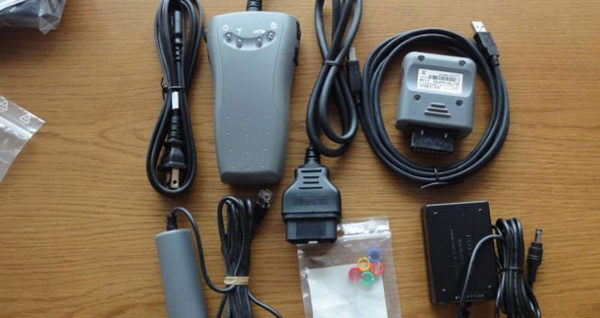
I try to program a new blank engine ECM on a 2013 Nissan Armada. I purchased the software file from Nissan website and one Nissan Consult III . I do not have Consult online synchronized with Assist. At first, I have no idea what folder to put this file in so Consult program will find.
I used ners and nissan file extracted to correct folders by it self. used unpack.exe
anyway here you go 6) For CONSULT III plus “Blank” ECU (ECM and non-IK TCM) Programming
anyway here you go 6) For CONSULT III plus “Blank” ECU (ECM and non-IK TCM) Programming
Note 1: Before using this application, you will need to put the “programming” data file (*.dat) and the management csv file you received with the download, in the C:\ReproProgramming folder (see screen capture above under item # 5). Without the programming data and the management csv file in this folder, the C-III plus application will not identify or display the applicable programming. The C-III plus software will check the part number of the ECU on the vehicle and display the reprogram to be installed.
NOTE 2: If this is the first time using C-III plus for reprogramming, you may need to make the
C:\ReproProgramming folder. C-III plus does not automatically create the folder.
NOTE 2: If this is the first time using C-III plus for reprogramming, you may need to make the
C:\ReproProgramming folder. C-III plus does not automatically create the folder.
For more details information, welcome to Add my Whatsapp (+86 13728952674) or
Skype (8618124509953) if you have, Your Private Secretary in Car Repair Area! 16
Hours Online at your Service!
xing tu
Email : admin@xingobd2.com
Skype : 8618124509953
Whatsapp : 0086 13728952674
Website : www.xingobd2.com
Skype (8618124509953) if you have, Your Private Secretary in Car Repair Area! 16
Hours Online at your Service!
xing tu
Email : admin@xingobd2.com
Skype : 8618124509953
Whatsapp : 0086 13728952674
Website : www.xingobd2.com


评论
发表评论